VAT Calculator – Free, Accurate & Instant
Free VAT Calculator for UK, UAE, KSA & Qatar
No signup • No data stored • Works instantly
Calculating VAT manually can be confusing, especially when different countries follow different tax rates
and calculation methods. This VAT Calculator is built to make VAT calculation simple,
accurate, and stress-free for everyone.
Whether you are a student learning taxation basics, a small business owner preparing invoices,
or an online seller pricing products correctly, this tool helps you calculate VAT without using
formulas, spreadsheets, or accounting software.
Many people still calculate VAT using manual formulas, which often leads to mistakes. Even a small
error in VAT calculation can result in incorrect billing, tax mismatches, or compliance issues.
This VAT Calculator removes that risk by doing all calculations instantly and correctly.
- This guide assumes you already know what VAT means and how it applies to goods and services.
Example:
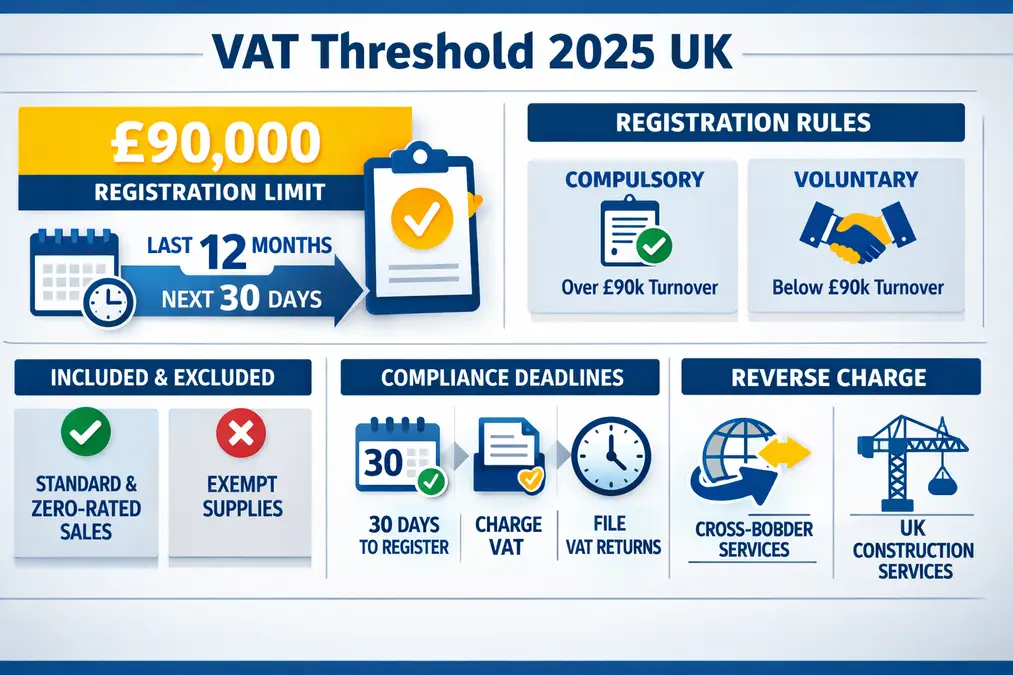
A UK business sells a service for £1,000 excluding VAT. UK VAT is 20%.
Instead of calculating manually, you enter 1000, select the UK, and instantly get:
VAT = £200, Total = £1,200.
Use VAT Calculator
How the VAT Calculator Works – Step by Step
Step 1: Enter the Amount on the Calculator Page
Start by opening the relevant VAT calculator page for your country.
On that page, you will enter the price you want to calculate VAT for.
This may be a net amount (excluding VAT) or a gross amount (including VAT),
depending on your calculation needs.
Step 2: Choose the Country or VAT Rate
Each country has its own VAT rate. When you open a country-specific
calculator, such as the UK VAT Calculator, the correct VAT rate
is already applied based on that country’s standard VAT rules.
Step 3: View the Calculated VAT Breakdown
After entering the amount, the calculator page displays the VAT amount,
the original price, and the final total clearly.
This helps you understand exactly how VAT affects the price.
The VAT calculators on VATCalculatorHub use standard VAT formulas
together with commonly used country-specific VAT rates.
Calculations are performed instantly in your browser,
and no calculation data is stored or tracked.
Choose Your VAT Calculator by Country
To calculate VAT, select a country-specific VAT calculator from the list below.
Each calculator is designed to match local VAT rules and rates.
UK VAT Calculator
Calculate 20% VAT for UK prices with inclusive and exclusive options.
UK VAT Calculator
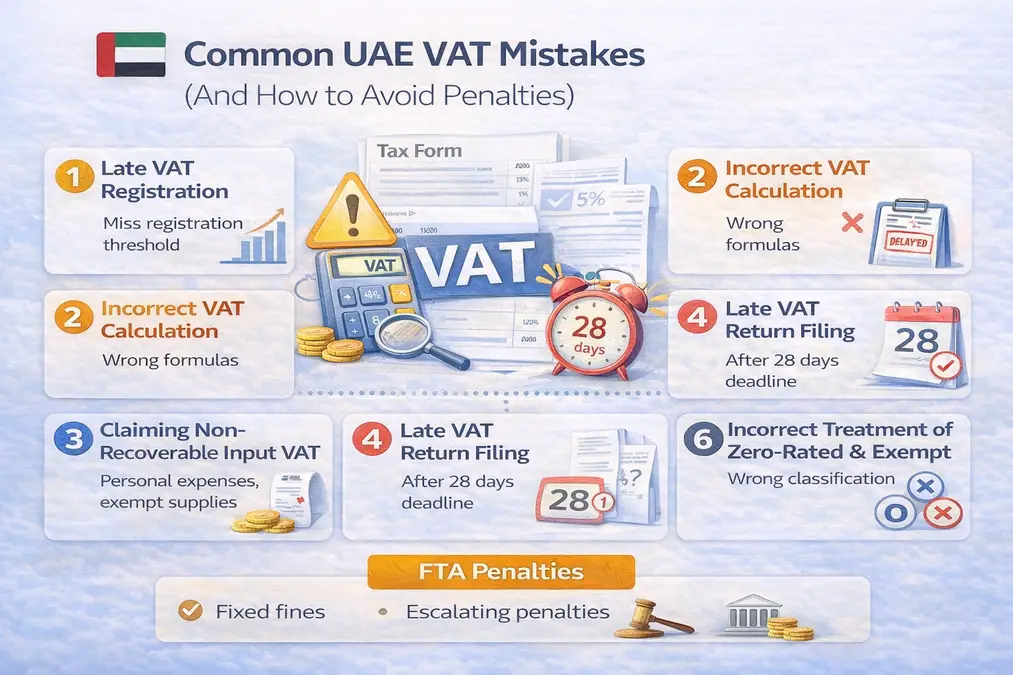
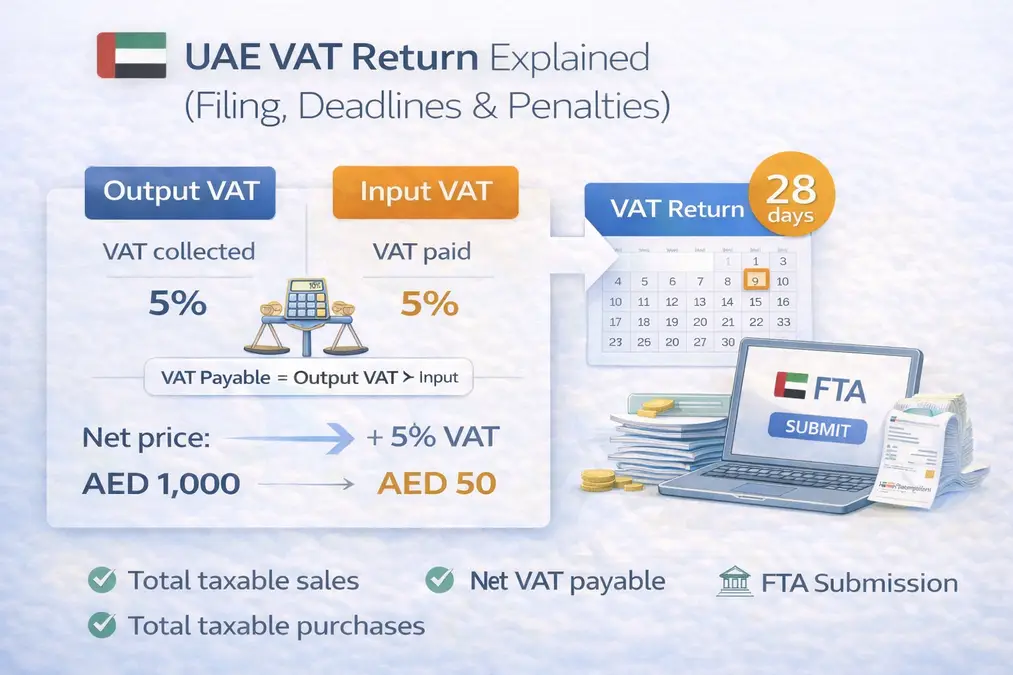
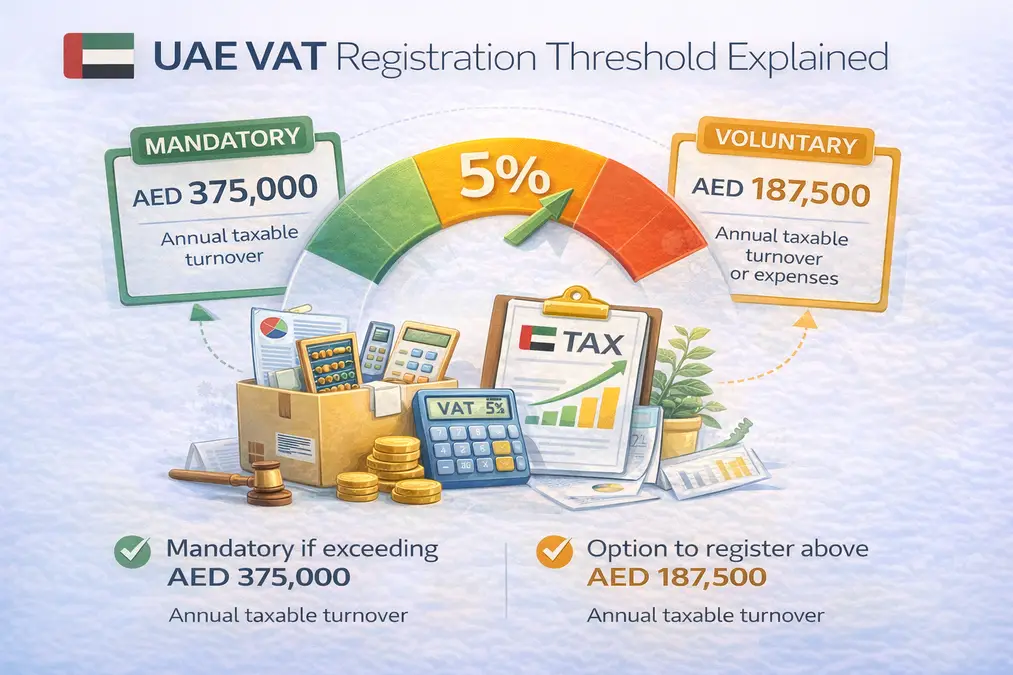
UAE VAT Calculator
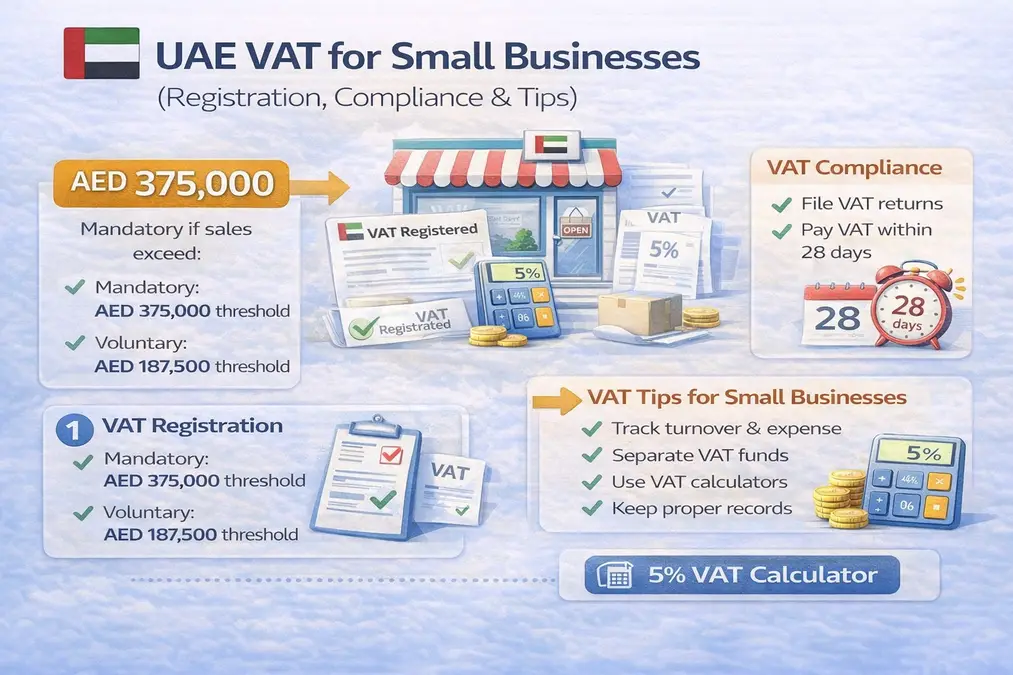
Simple 5% VAT calculator for UAE businesses and individuals.
UAE VAT Calculator
Saudi Arabia (KSA) VAT Calculator
Accurate 15% VAT calculation for Saudi Arabia transactions.
KSA VAT Calculator
Qatar VAT Calculator
Estimate potential VAT values for Qatar-based pricing and future VAT planning.
Qatar VAT Calculator
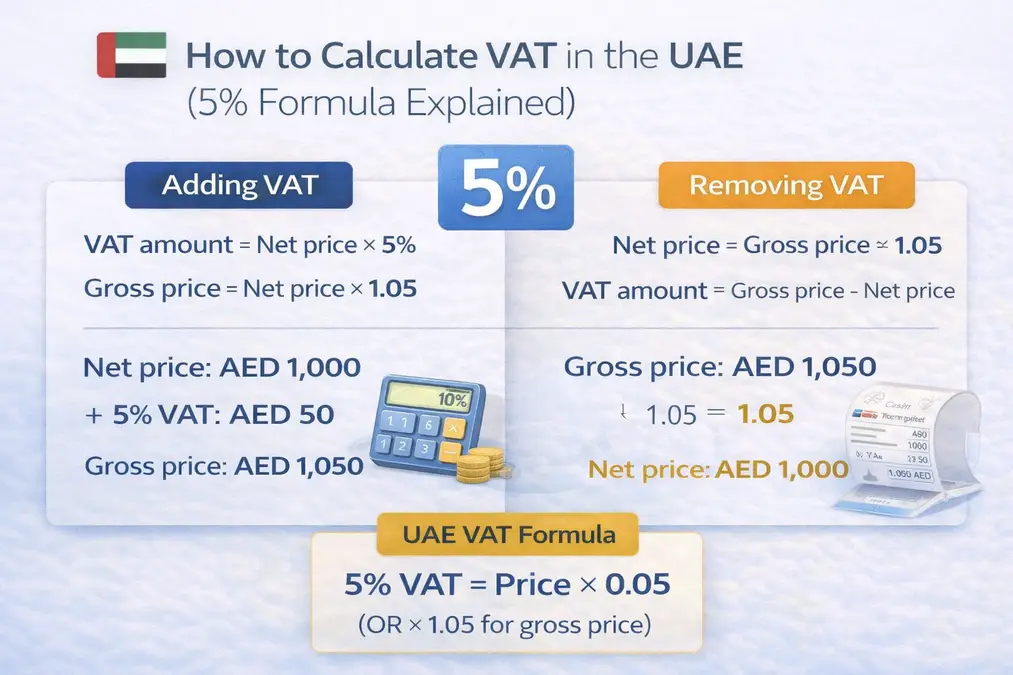
VAT Calculation Logic Explained
VAT is calculated using standard formulas that depend on whether the price
includes VAT or excludes VAT.
-
VAT Exclusive Price:
VAT = Price × VAT Rate
-
VAT Inclusive Price (Reverse VAT):
VAT = Price − (Price ÷ (1 + VAT Rate))
The calculator applies these formulas automatically based on your selection and
removing the need for manual calculations.
Key Features of This VAT Calculator
Country-Specific VAT Rates
Each supported country uses its standard VAT rate, ensuring accuracy for
real-world usage.
VAT Inclusive & Exclusive Calculation
Easily calculate VAT whether tax is already included or needs to be added.
This avoids confusion during billing and pricing.
Reverse VAT Calculation
Enter a VAT-inclusive price and instantly see the original price and VAT
portion.
Regular Updates
VAT rates and calculator logic are reviewed periodically to ensure they align
with commonly used standard VAT rates. Updates are applied as needed to keep
calculations reliable.
Instant Results
Results appear immediately, saving time and preventing calculation delays.
No Signup Required
Use the tool freely without creating accounts or sharing personal data.
Mobile-Friendly
Designed to work smoothly on mobile, tablet, and desktop devices.
Benefits of Using This VAT Calculator
Manual VAT calculations can take several minutes per entry. This tool reduces
that time to less than one second.
Studies show manual tax calculations can have error rates of up to 10%.
Automated tools like this reduce errors close to zero.
Accurate VAT calculations help businesses maintain clean records,
avoid disputes, and improve compliance.
Real-World Use Cases
- Small business owners preparing VAT invoices
- Freelancers calculating service charges
- Students learning VAT concepts
- Accountants verifying VAT values
- Online sellers pricing products
- Retail shops calculating daily VAT totals
- Consultants preparing quotations
- Finance teams cross-checking tax values
Who Should Use This VAT Calculator
This tool is ideal for beginners who want a simple way to understand VAT,
as well as professionals who need fast and reliable calculations.
Students, freelancers, accountants, finance managers, and business owners
can all benefit from its simplicity and accuracy.
Comparison With Other VAT Calculation Methods
Compared to spreadsheets, this tool avoids manual formulas and reduces
errors.
Compared to accounting software, it is free, faster, and easier to use.
Compared to generic calculators, it focuses on country-specific VAT accuracy.
Disclaimer: This VAT calculator uses standard VAT rates for estimation purposes only.
Always confirm values with official tax authorities or a qualified accountant.
VAT Calculator FAQs
How is VAT calculated?
VAT is calculated using standard VAT formulas based on whether the price includes or excludes VAT.
Is this VAT calculator free?
Yes, it is completely free.
Does it support reverse VAT?
Yes, reverse VAT is supported.
Are VAT rates accurate?
The calculator uses standard VAT rates for estimation purposes.
Start Calculating VAT Instantly
VAT calculation does not need to be complicated. This VAT Calculator is
designed to be fast, accurate, and easy for everyone.
If you regularly deal with VAT, this tool will quickly become part of your
daily work.
Learn more about how this website operates on our
About Us page, or review our
Disclaimer for important information.
Open VAT Calculator