
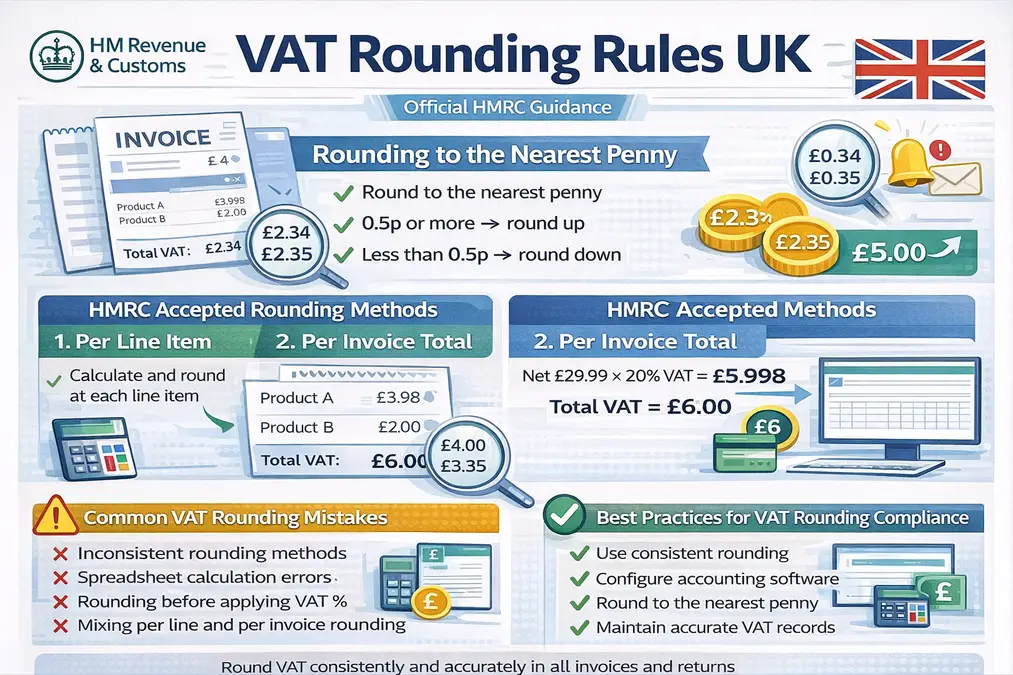
Understanding VAT rounding rules UK is essential for businesses issuing invoices, calculating VAT, and submitting VAT returns to HM Revenue & Customs. Small rounding differences may appear in VAT calculations due to decimal places, but HMRC allows specific rounding methods when calculating VAT on invoices and returns.
These rules ensure VAT amounts remain accurate and consistent across accounting systems, invoices, and VAT returns submitted under Making Tax Digital (MTD).
This guide explains HMRC-approved rounding methods, invoice rounding practices, line-item calculations, and compliance considerations.
- What Are VAT Rounding Rules UK?
- Why VAT Rounding Occurs
- HMRC Accepted VAT Rounding Methods
- VAT Inclusive Pricing and Rounding
- Net vs Gross Pricing and Rounding
- Cross-Border VAT and Rounding
- VAT Rounding Under Making Tax Digital (MTD)
- Common VAT Rounding Mistakes
- Best Practices for VAT Rounding Compliance
- Frequently Asked Questions
- Conclusion
What Are VAT Rounding Rules UK?
The VAT rounding rules UK determine how businesses round VAT amounts calculated from prices that include decimal values.
According to HMRC guidance:
- VAT should normally be rounded to the nearest penny
- Fractions of 0.5 pence or more should be rounded up
- Fractions below 0.5 pence should be rounded down
Example:
| VAT Calculation | Rounded Result |
|---|---|
| £2.344 | £2.34 |
| £2.345 | £2.35 |
Why VAT Rounding Occurs
VAT rounding issues arise because VAT calculations often involve:
- VAT rates with decimals
- Multiple line items on invoices
- Prices that include VAT
For example:
Net price: £19.99
VAT rate: 20%
VAT = £3.998
Under the VAT rounding rules UK, this would normally be rounded to £4.00.
Understanding the correct formula helps avoid calculation errors. Our guide on the VAT calculation formula explains how VAT is calculated before rounding.
HMRC Accepted VAT Rounding Methods
HMRC allows several methods for rounding VAT calculations as long as they produce fair and consistent results.
1. Rounding to the Nearest Penny
This is the most common method.
Steps:
- Calculate VAT
- Round to the nearest penny
- Apply the rounded amount to the invoice
Example:
Price: £100
VAT 20% = £20.00
Rounded result: £20.00
2. Rounding at Line Item Level
Businesses may calculate VAT separately for each item on an invoice.
Example invoice:
| Item | Price | VAT (20%) | Rounded VAT |
|---|---|---|---|
| Product A | £19.99 | £3.998 | £4.00 |
| Product B | £10.00 | £2.00 | £2.00 |
Total VAT = £6.00
This method is common in retail or e-commerce systems.
3. Rounding at Invoice Total Level
Alternatively, businesses may calculate VAT based on the total invoice amount.
Example:
Total net amount = £29.99
VAT = £5.998
Rounded VAT = £6.00
Both methods are acceptable if used consistently.
VAT Inclusive Pricing and Rounding
When prices already include VAT, rounding becomes more complex.
Example:
Price including VAT: £12
VAT rate: 20%
VAT = £12 × (20 ÷ 120)
VAT = £2.00
Businesses often need to remove VAT from inclusive prices, which can create fractions of a penny.
Our guide on removing VAT from price explains this calculation in detail.
Net vs Gross Pricing and Rounding
VAT rounding also affects how net and gross prices appear on invoices.
Example:
Net price: £8.33
VAT 20% = £1.666
Rounded VAT = £1.67
Gross price = £10.00
Understanding this difference helps businesses present accurate invoices. See our guide on net vs gross price with VAT.
Cross-Border VAT and Rounding
Rounding still applies in cross-border VAT transactions.
Reverse Charge
When the reverse charge applies:
- VAT is calculated by the customer
- Rounded VAT appears as both output VAT and input VAT
Zero-Rated vs Exempt Supplies
These supplies still appear in VAT records.
Zero-rated supplies
- VAT rate = 0%
- No rounding issue because VAT is zero
Exempt supplies
- No VAT charged
- Input VAT usually not recoverable
VAT Rounding Under Making Tax Digital (MTD)
Under Making Tax Digital, VAT calculations must be generated using compatible software.
This software normally performs rounding automatically based on configured rules.
Businesses must ensure:
- Rounding method is consistent
- VAT figures reconcile with VAT returns
- Digital records remain accurate
Common VAT Rounding Mistakes
HMRC compliance checks frequently identify rounding issues such as:
- Inconsistent rounding between invoices
- Using different rounding methods within the same accounting system
- Rounding VAT incorrectly before applying VAT rates
- Spreadsheet errors during manual calculations
You can review more compliance risks in VAT calculation mistakes.
Best Practices for VAT Rounding Compliance
To comply with VAT rounding rules UK, businesses should:
- Use consistent rounding methods
- Configure accounting software correctly
- Round VAT to the nearest penny
- Maintain accurate digital VAT records
- Review VAT calculations before submitting returns
Many businesses also verify calculations using the UK VAT calculator.
Frequently Asked Questions
What are the official VAT rounding rules UK?
HMRC allows VAT to be rounded to the nearest penny, with values of 0.5p or more rounded up.
Can VAT be rounded per line item?
Yes. HMRC allows VAT to be rounded per item or per invoice total if applied consistently.
Does rounding affect VAT returns?
Minor rounding differences are acceptable, provided calculations remain reasonable and consistent.
How does rounding work with VAT-inclusive prices?
VAT is calculated using the formula:
VAT = Gross Price × (VAT Rate ÷ (100 + VAT Rate))
The resulting VAT is then rounded to the nearest penny.
Can accounting software apply different rounding rules?
Yes, but the method must remain consistent and compliant with HMRC guidance.
Conclusion
The VAT rounding rules UK ensure VAT calculations remain practical and consistent when decimal values occur. HMRC allows businesses to round VAT to the nearest penny, either at the line item level or invoice total level, provided the method is applied consistently.
Understanding these rules helps prevent calculation errors, ensures VAT returns remain accurate, and supports compliance with HMRC requirements.