
Introduction
When a price already includes VAT, you cannot remove the tax by simply subtracting it.
Instead, you must use a reverse VAT calculation to find the original net price. This method is essential when reading invoices, checking VAT-inclusive prices, or calculating VAT correctly for reporting purposes.
This guide explains how to remove VAT from a price step by step, shows the correct formula, and highlights common mistakes to avoid. The calculation method is the same worldwide, even though VAT rates differ by country.
Table of Contents
- What Does “Removing VAT” Mean?
- The Reverse VAT Formula
- Step-by-Step Example
- Why You Should Never Subtract VAT Directly
- When Do You Need to Remove VAT?
- Does This Work the Same in Every Country?
- External Reference
- Frequently Asked Questions
- Key Takeaways
What Does “Removing VAT” Mean?
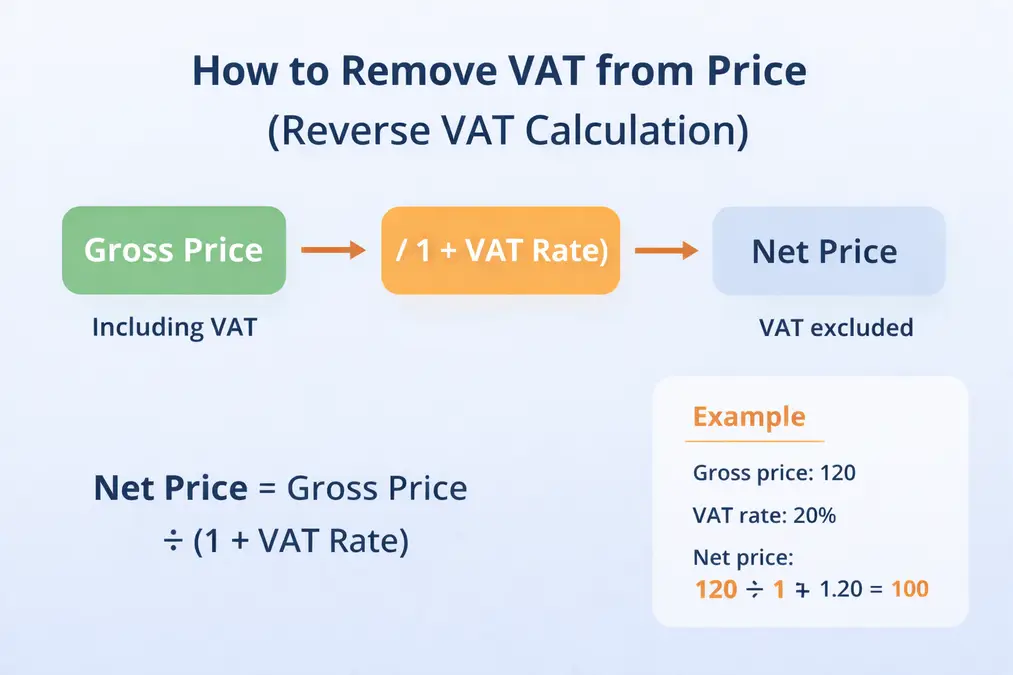
Removing VAT means calculating the net price from a gross (VAT-inclusive) price.
- Gross price: Includes VAT
- Net price: Excludes VAT
To get the net price, you must divide — not subtract.
The Reverse VAT Formula
✅ Correct Formula
Net price = Gross price ÷ (1 + VAT rate)
This formula works for any VAT rate.
Step-by-Step Example
Example:
- Gross price: 120
- VAT rate: 20%
Calculation:
Net price = 120 ÷ 1.20 = 100
✔ Net price = 100
✔ VAT amount = 20
Learn why this works here: How VAT works
Why You Should Never Subtract VAT Directly
Many people make this mistake:
120 − 20% = ❌ Incorrect
VAT is calculated as a percentage of the net price, not the gross price.
Subtracting VAT directly produces incorrect results and can lead to reporting errors.
Formula Explanation: VAT Calculation Formula
When Do You Need to Remove VAT?
Reverse VAT calculation is useful when you:
- Receive VAT-inclusive invoices
- Compare prices fairly
- Check VAT charged
- Calculate refunds or expenses
Does This Work the Same in Every Country?
Yes — the formula stays the same, but VAT rates differ.
Use the correct calculator for accurate results:
External Reference
For official VAT calculation guidance, see:
European Commission – VAT Basics – Calculate vat in excel
Frequently Asked Questions
How do I remove VAT from a price?
Divide the gross price by (1 + VAT rate).
Can I subtract VAT instead?
No. Subtracting VAT gives incorrect results.
Is reverse VAT calculation the same everywhere?
Yes. Only the VAT rate changes by country.
Key Takeaways
- VAT-inclusive prices require reverse calculation
- Always divide, never subtract
- The formula works worldwide
- Use country-specific VAT rates